
Nov-2026 New Batch Start Soon. Hurry up!

    Professional IT Training

    Web Designing

    Learn Web Designing in Ahmedabad with practical training at AkashSir.com. Understand HTML, CSS, responsive web design, JavaScript fundamentals, UI/UX principles, website layouts, forms, navigation, and modern design techniques through hands-on exercises a

    Live project training Flexible online & classroom batches
    Web Designing Practical Learning
    Live Projects

    100% Hands-on Coding

    1-on-1 Mentorship

    Personal Doubt Solving

    Certification

    Globally Recognised

    Career Support

    Resume & Mock Interviews

    Course Overview & About

    Web Designing Training in Ahmedabad

    Build your creative and technical skills with Web Designing Training at AkashSir.com. Website designing combines visual creativity, user experience, layout planning, and frontend technologies to create attractive, accessible, and user-friendly websites.

    This course introduces learners to website structure, HTML, CSS, responsive layouts, typography, colors, images, navigation menus, forms, and JavaScript fundamentals. Learners also explore UI/UX principles, website layout planning, browser compatibility, and basic website optimization.

    Through practical exercises and project-based learning, students can develop the skills required to design responsive websites for different screen sizes, including desktops, tablets, and mobile devices.

    Whether you are a student, beginner, aspiring web designer, or someone interested in building websites, Web Designing Training in Ahmedabad can help you develop a foundation in website design and frontend development.

    The course emphasizes practical implementation, helping learners understand how design concepts translate into functional web pages. Learners can apply these concepts to create personal websites, business websites, landing pages, and portfolio projects.

    Course Deliverables & Key Highlights

    Why Learn Web Designing?

    A well-designed website helps businesses communicate their services, present information, and provide a better online experience. Web designing skills are useful for creating business websites, landing pages, portfolios, blogs, and other digital experiences.

    Learning website design also provides a foundation for progressing into frontend development, UI/UX design, and broader web development technologies.

    Key Benefits of Learning Web Designing

    1. Learn HTML and Website Structure

    Understand how HTML elements organize website content, including headings, paragraphs, images, links, tables, and forms.

    2. Develop Styling Skills with CSS

    Learn to control colors, fonts, spacing, borders, backgrounds, layouts, and visual consistency across web pages.

    3. Create Responsive Websites

    Understand responsive design techniques that help websites adapt to desktop, tablet, and mobile screens.

    4. Understand UI/UX Principles

    Explore visual hierarchy, readability, consistency, navigation, usability, and user-centered design fundamentals.

    5. Build Interactive Web Pages

    Learn JavaScript fundamentals to introduce basic interactions, form validation, dynamic content, and other frontend behaviors.

    6. Develop Practical Website Projects

    Apply your knowledge by designing web pages and building complete practice websites that demonstrate your technical and creative skills.

    Course Highlights & Deliverables

    • Introduction to website designing and frontend development

    • HTML fundamentals and semantic page structure

    • CSS styling and layout techniques

    • Responsive web design principles

    • Flexbox and CSS Grid fundamentals

    • Typography, colors, images, and icons

    • Website navigation and form design

    • JavaScript fundamentals for interactivity

    • UI/UX design principles

    • Website testing and browser compatibility

    • Practical assignments and website projects

    • Portfolio development guidance

    • Interview preparation and career guidance

    Course Curriculum & Syllabus

    16 Modules Showing the first 5 modules
    • Introduction to websites and web pages

    • Understanding web designing and web development

    • Types of websites: static, dynamic, business, and portfolio

    • Client-side and server-side fundamentals

    • Understanding browsers and web servers

    • Domain names and web hosting concepts

    • Introduction to frontend technologies

    • Overview of the website development workflow

    • Understanding design requirements and target audiences

    • Introduction to HTML

    • Basic HTML document structure

    • HTML elements and attributes

    • Headings and paragraphs

    • Text formatting and inline elements

    • Ordered and unordered lists

    • Links and navigation

    • Images and alternative text

    • Tables and tabular data

    • HTML comments and entities

    • Creating structured web pages

    • Form structure and form attributes

    • Text, email, password, number, and date inputs

    • Radio buttons and checkboxes

    • Dropdown menus and text areas

    • Labels and form accessibility

    • Buttons and form submission basics

    • HTML5 semantic elements

    • Header, navigation, main, section, article, and footer

    • Embedding audio, video, and external content

    • Basic HTML validation attributes

    • Building registration and contact forms

    • Introduction to Cascading Style Sheets

    • Inline, internal, and external CSS

    • CSS syntax and selectors

    • Element, class, and ID selectors

    • Colors and background properties

    • Font families, sizes, and text styles

    • Text alignment and line spacing

    • Borders, margins, and padding

    • CSS box model

    • Width, height, and overflow

    • Pseudo-classes and pseudo-elements

    • Reusable styling and maintainable CSS

    • Understanding normal document flow

    • Display properties

    • Block, inline, and inline-block elements

    • Relative, absolute, fixed, and sticky positioning

    • Z-index and stacking contexts

    • Float and clear fundamentals

    • Flexbox layout

    • CSS Grid fundamentals

    • Creating headers, footers, and sidebars

    • Designing multi-column layouts

    • Spacing and alignment techniques

    • Building structured page layouts

    • Introduction to responsive web design

    • Mobile-first design principles

    • Viewport and responsive units

    • Media queries

    • Breakpoints and device dimensions

    • Flexible containers and fluid layouts

    • Responsive images

    • Responsive navigation menus

    • Flexbox and Grid for responsive layouts

    • Designing for desktop, tablet, and mobile

    • Testing layouts at different screen sizes

    • Common responsive design problems and solutions

    • Fundamentals of visual design

    • Color theory and color combinations

    • Choosing suitable website color palettes

    • Typography and font pairing

    • Font weights and text hierarchy

    • Line height and letter spacing

    • Visual hierarchy and readability

    • White space and consistent spacing

    • Using icons and illustrations

    • Image selection and presentation

    • Consistent branding and design systems

    • Creating visually balanced web pages

    • Introduction to user interface and user experience

    • Differences between UI and UX

    • Understanding user needs and website goals

    • User journeys and basic user flows

    • Wireframes and page planning

    • Layout hierarchy and content organization

    • Navigation and information architecture

    • Button and form usability

    • Accessibility fundamentals

    • Readability and interaction feedback

    • Consistency across website pages

    • Basic usability testing and improvement

    • Introduction to JavaScript

    • Adding JavaScript to HTML pages

    • Variables and data types

    • Operators and expressions

    • Conditional statements

    • Loops and functions

    • Arrays and objects

    • DOM fundamentals

    • Selecting and updating HTML elements

    • Event handling

    • Button interactions and toggles

    • Basic form validation

    • Showing and hiding content

    • Introduction to interactive web components

    • Creating website navigation bars

    • Dropdown menu fundamentals

    • Responsive navigation patterns

    • Buttons, links, and calls to action

    • Tabs and accordion components

    • Image galleries

    • Modal and popup fundamentals

    • Hover and focus states

    • Form feedback and error messages

    • Interactive components using HTML, CSS, and JavaScript

    • Improving usability on touch devices

    • Business and corporate website design

    • Personal portfolio websites

    • Landing page design

    • Educational and training websites

    • Service-based website layouts

    • Blog and content website layouts

    • Product and service presentation

    • Contact and enquiry pages

    • Testimonials and trust sections

    • Calls to action and conversion-focused layouts

    • Adapting design to different audiences

    • Maintaining consistency across pages

    • Selecting suitable website images

    • Image formats and use cases

    • Image sizing and responsive behavior

    • Basic image optimization

    • Background images and overlays

    • Icon libraries and usage

    • SVG fundamentals

    • Video and multimedia embedding

    • Image accessibility and alternative text

    • Avoiding layout shifts caused by media

    • Organizing website assets

    • Maintaining visual quality and performance

    • Introduction to web accessibility

    • Semantic HTML and meaningful structure

    • Accessible labels for form controls

    • Keyboard navigation fundamentals

    • Focus indicators

    • Text contrast and readability

    • Alternative text for informative images

    • Accessible buttons and links

    • Browser compatibility testing

    • Responsive and cross-browser checks

    • Identifying common usability issues

    • Improving accessibility during design 

    • Introduction to website performance

    • Image compression and optimization

    • Reducing unnecessary page resources

    • Understanding page loading behavior

    • Basic CSS and JavaScript organization

    • Page titles and meta descriptions

    • Heading hierarchy

    • Descriptive URLs

    • Image alt attributes

    • Internal linking fundamentals

    • Mobile-friendly design

    • Basic website quality checks

    • Preparing a website for publishing

    • Organizing HTML, CSS, JavaScript, and asset files

    • Understanding domains and hosting

    • Introduction to static website hosting

    • Uploading website files

    • Testing links and navigation

    • Checking forms and interactive components

    • Verifying responsive behavior

    • Fixing common layout issues

    • Updating website content

    • Website maintenance fundamentals

    • Basic version control awareness

    • Selecting a website project idea

    • Gathering requirements and planning pages

    • Preparing a sitemap and basic wireframes

    • Creating the HTML structure

    • Applying CSS styles and layout techniques

    • Implementing responsive behavior

    • Adding navigation and interactive components

    • Applying UI/UX and accessibility principles

    • Optimizing images and page content

    • Testing across screen sizes and browsers

    • Fixing design and functionality issues

    • Preparing the project for demonstration

    • Creating project documentation and portfolio material

    Special Offers & Perks

    Learning Methodology

    At AkashSir.com, the Web Designing Training learning approach is intended to help students progress from basic website concepts to practical page design. Learners begin with HTML and CSS fundamentals before moving to layouts, responsive design, UI/UX principles, and JavaScript-based interactions.

    Practical exercises help learners understand how different website elements work together. By creating page layouts, styling content, designing forms, and developing practice websites, learners can strengthen their problem-solving abilities and build confidence in applying web design concepts.

    The course also introduces website testing, accessibility, and basic SEO considerations so learners can understand the importance of creating websites that are usable, responsive, and easy to maintain.

    Training Approach

    • Instructor-Led Learning

    • Practical HTML and CSS Exercises

    • Live Coding Demonstrations

    • Responsive Website Design Practice

    • UI/UX Fundamentals

    • Assignment-Based Learning

    • Website Project Development

    • Code Review and Improvement

    • Interview Preparation

    • Career Guidance

    Structured Journey

    Your 4-Phase Practical Learning Pathway

    A proven step-by-step developer roadmap taking you seamlessly from core programming logic to production-level full-stack deployment.

    01
    Phase 1: Foundation

    Core Fundamentals & Coding Logic

    Master programming syntax, control flow, software architecture, modern tooling setup, and algorithmic problem-solving with hands-on mini-challenges.

    02
    Phase 2: Frameworks

    Advanced Frameworks & Database Modeling

    Learn industry-standard production frameworks, RESTful API design, database querying, authentication security, and state management.

    03
    Phase 3: Live Project

    Full-Stack Capstone Project Development

    Build an enterprise-grade live application from scratch using Git version control, continuous integration, live cloud servers, and custom domain setup.

    04
    Phase 4: Placement

    Certification, Portfolio & Placement Prep

    Receive your verifiable ISO certificate, polish your GitHub repository, participate in technical mock interviews, and access placement drives.

    Career Outlook

    Industry Scope & High-Paying Career Options

    Discover the market demand, salary benchmarks, and versatile job profiles open to skilled Web Designing graduates.

    High Market Demand

    Fast-growing job openings in Gujarat & worldwide.

    ₹3.5 LPA – ₹12+ LPA

    Lucrative packages for project-ready developers.

    Remote & Global Roles

    Work for international startups and tech MNCs.

    Freelance & Founder

    Build client apps or start your own IT agency.

    Lead Engineering
    Full-Stack / Core Developer

    Architect end-to-end applications, design database schemas, and implement high-performance production code.

    Frontend Architecture
    UI/UX & Frontend Specialist

    Build modern responsive user interfaces with pixel-perfect layouts, intuitive animations, and state management.

    Server & APIs
    Backend & API Engineer

    Develop secure RESTful endpoints, handle microservices, and optimize server-side databases & middleware.

    Corporate IT
    Software Associate / Consultant

    Analyze enterprise business workflows, maintain client codebases, and deploy critical system upgrades.

    Quality Assurance
    QA & Test Automation Specialist

    Test API payloads, automate test cases, and ensure robust bug-free releases before production rollouts.

    Independent
    Freelancer & Tech Founder

    Deliver bespoke freelance projects for global clients or launch your own digital product/startup.

    Top Hiring Sectors & Industries for Web Designing:
    FinTech & Banking E-Commerce & Retail SaaS & Cloud Startups HealthTech EdTech Platforms IT Services & Global MNCs

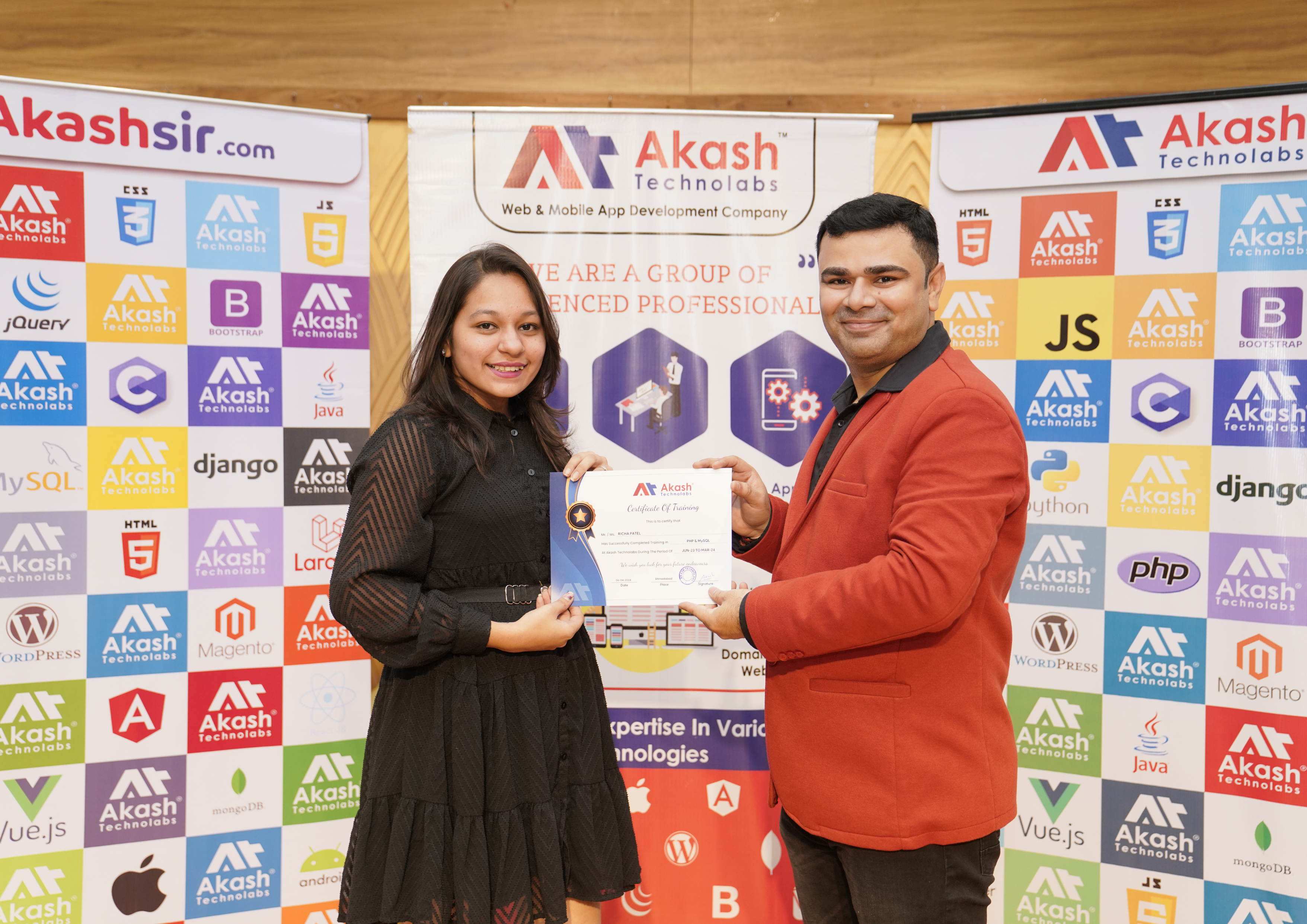
    Globally Recognised Course Completion Certificate

    Awarded by Akash Sir Academy upon successful practical live project submission.

    • ISO Certified Credential
    • Shareable on LinkedIn & Resume
    • Lifetime Online Verifiable URL
    • Live Project-Backed Credential
    The Akash Sir Advantage

    Why Choose Akash Sir Academy?

    We don't just teach code—we prepare you for high-paying IT careers through rigorous industry-focused, live-project-based mentorship.

    01

    Industry-Driven Syllabus

    Continuously updated course content aligned with global IT industry requirements, modern frameworks, and best practices.

    02

    Flexible Timings & Batches

    Convenient weekday and weekend batch timings for college students, freshers, and working professionals with backup classes.

    03

    1-on-1 Mentorship

    Personalized doubt clearing, line-by-line code reviews, and direct guidance from Akash Sir and senior architects.

    04

    100% Live Project Coding

    Learn by doing. Build real-world, industry-standard full-stack web and mobile applications from day one with Git version control.

    05

    Video Materials & Notes

    Get lifetime access to high-definition session recordings, cheatsheets, source code repositories, and interview questions.

    06

    Recognised Certification

    Earn an ISO-certified credential and a verified portfolio link to showcase your technical capabilities on LinkedIn & resumes.

    Industry Ecosystem

    Technologies & Tools You Will Master

    Master production-grade developer tools and choose from versatile learning formats tailored for college students, job seekers, and working professionals.

    Git & GitHub

    Version control, branch management, pull requests & code collaboration.

    Version Control

    VS Code & IDEs

    IntelliSense shortcuts, linting, live debugging & modern extensions.

    Dev Environment

    Postman & APIs

    RESTful API endpoint testing, headers, auth tokens & JSON payload verification.

    API Integration

    SQL & NoSQL DBs

    Schema modeling, complex queries, indexing with MySQL & MongoDB tools.

    Data Layer

    Terminal & CLI

    Command-line automation, package managers (NPM, Composer, PIP) & scripts.

    Productivity

    Docker & Devops

    Application containerization, environment isolation & seamless deployment.

    Architecture

    Figma to Code

    Pixel-perfect responsive HTML5/CSS3/Tailwind UI translation from UI kits.

    Frontend UI/UX

    Cloud Deployments

    Production hosting, domain mapping, SSL & CI/CD deployment workflows.

    Live Production
    One To One Training Icon

    One To One Training

    Personalized 1-on-1 pace with dedicated mentor attention.

    Personalized
    Crash Course Icon

    Crash Course

    Fast-track high-impact learning for immediate project readiness.

    Fast Track
    Developer Training Icon

    Developer Training

    Intensive hands-on coding on production-level projects.

    Job Ready
    Faculty Training Icon

    Faculty Training

    Modern curriculum upskilling for college faculties & teachers.

    Academic
    Corporate Training Icon

    Corporate Training

    Customized tech stack training for corporate engineering teams.

    Enterprise
    Onsite Training Icon

    Onsite Training

    In-person workshops conducted at colleges & company campuses.

    Campus
    Online Training Icon

    Online Training

    Live interactive virtual sessions with real-time screen sharing.

    Interactive
    Weekend Training Icon

    Weekend Training

    Convenient weekend batches for working IT professionals.

    Flexible
    Workshop Icon

    Workshop

    Deep-dive practical bootcamps on modern frameworks.

    Bootcamp
    Seminar Icon

    Seminar

    Industry keynote sessions and technology trend seminars.

    Tech Talks
    Lead Technical Mentor

    Industry-Recognised Certification

    Earn a Certificate That Opens Doors

    Complete your course with Akash Sir and walk away with a globally recognised certificate that validates your skills and accelerates your IT career — trusted by 500+ companies across India and abroad.

    • Lifetime Valid — Your certificate never expires. Download and share it on LinkedIn, Naukri, or any job portal anytime.
    • Skill-Mapped Curriculum — The certificate reflects real-world, project-based training aligned to current industry standards.
    • Signed by Akash Padhiyar — Personally endorsed by your mentor, adding credibility that matters to hiring managers.
    15+ Years IT Industry Exp.
    5,000+ Students Mentored
    500+ Workshop & Seminar
    Live Production Project Lead
    Explore Courses
    Akash Padhiyar - Founder & Senior Tech Mentor
    Akash Padhiyar 12+ Yrs Teaching & Architecture
    Student Success Stories

    What Our Learners Say

    Real feedback from students who chose practical, mentor-led learning at Akashsir.com.

    “I had done my training with internship with akash technolabs best ???????? internship training in ahmedabad.i did my live project work during my internship. …”

    Pavan Prajapati

    Pavan Prajapati

    Akashsir.com

    “Excellent teaching and completely different experience in a great way. With the most helpful and amazing mentor and guide Akash sir.”

    Kashish Patel

    Kashish Patel

    Akashsir.com

    “A great place to learn and grow!! Professional mentorship!! Awesome place to learn so many programming languages✨”

    Ekta Butani

    Ekta Butani

    Akashsir.com

    Expert Career Guidance

    Get Answers & Advice from Professional Consultants

    Have questions about syllabus, practical training, live projects, batch timings, or career scope? Talk directly with our senior industry mentors for honest, 1-on-1 guidance.

    Call & WhatsApp Counseling +919978621654
    Training Center Location

    202, Aarya Arcade, Navrangpura,
    Ahmedabad, Gujarat 380009

    Connect With Us:
         
    100% Free Consultation

    Book Free Demo Now

    Reserve your demo session. Our career advisor will reach out to confirm your preferred slot.

    100% Confidential Free Mentorship Quick Callback
    Got Questions?

    Frequently Asked Questions

    Everything you need to know about our Web Designing course, schedules, and learning process.

    01 What is Web Designing Training in Ahmedabad?

    Web Designing Training in Ahmedabad introduces learners to the principles and technologies used to create websites. The curriculum typically covers HTML, CSS, responsive layouts, UI/UX fundamentals, JavaScript basics, forms, navigation, and practical website projects. The objective is to help learners understand how to create attractive, usable, and responsive web pages.

    02 Who can join the Web Designing Course at AkashSir.com?

    The course is suitable for students, beginners, fresh graduates, entrepreneurs, and anyone interested in learning website design. Prior coding experience may not be necessary for a beginner-level course. Basic computer knowledge, creativity, and a willingness to practise are helpful when learning website design.

    03 What technologies and topics are covered in the Web Designing syllabus?

    The proposed curriculum includes HTML for page structure, CSS for styling and layouts, responsive web design for different screen sizes, UI/UX principles for usability, and JavaScript fundamentals for basic interactions. It may also cover website accessibility, browser compatibility, basic SEO, performance considerations, and website publishing.

    04 Will I be able to create a website after completing the course?

    With consistent practice and successful completion of the practical exercises, learners should be able to work toward creating basic websites such as personal portfolios, business pages, landing pages, and multi-page informational websites. The complexity of the websites you can build will depend on your practice, project experience, and understanding of the concepts.

    05 What career opportunities are available after learning web designing?

    Depending on your skills, portfolio, and practical experience, you may explore opportunities such as Junior Web Designer, Web Design Intern, Frontend Development Trainee, Website Content Designer, or UI Design Trainee. Learning additional technologies and building a strong project portfolio can help you progress toward more advanced frontend development roles.

    Still have doubts regarding this course?

    Can't find the answer you're looking for? Speak directly with our counseling team for personalized clarity on modules, fees, and batch slots.